
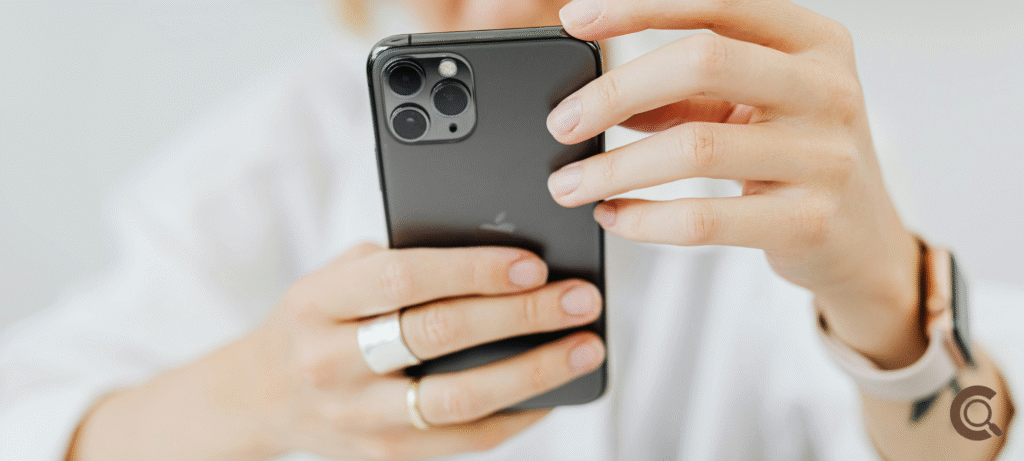
Smartphones know more about us than most people in our lives. They store our photos, messages, banking apps, location history, passwords, and even private conversations. We carry them everywhere, unlock them dozens of times a day, and trust them without thinking much about it.
That’s why learning how to secure personal data on smartphones isn’t optional anymore. It’s part of daily life. You don’t need to be paranoid or highly technical. You just need to understand a few habits that actually make a difference.
This article isn’t about fear. It’s about awareness and control. Small actions, done consistently, can protect your data far better than most people realize.
Why Smartphone Security Matters More Than Ever
Years ago, phones were mostly for calls and messages. Today, they are wallets, cameras, offices, and diaries combined.
If someone gains access to your phone, they don’t just see one thing. They see everything.
Personal data leaks don’t always come from hackers breaking in dramatically. Often, they happen because of weak settings, careless permissions, or lost devices with no protection.
Securing your phone is less about stopping experts and more about closing easy doors.
Start With a Strong Lock Screen
This sounds basic, but it’s one of the most important steps.
If your phone doesn’t have a lock screen, or if it uses a simple pattern or short PIN, you’re taking a big risk.
Use a strong PIN, password, fingerprint, or face unlock. Even better, combine biometrics with a PIN backup.
Avoid predictable patterns. Birthdays and simple sequences are easy to guess.
This one habit alone protects your data if your phone is lost or stolen.
Keep Your Phone Updated
Updates aren’t just about new features. Most updates fix security problems.
When you delay updates, you leave known weaknesses open. Hackers don’t need to guess. They already know where the gaps are.
Turn on automatic updates if possible. If not, check regularly.
Yes, updates can be annoying. But outdated software is one of the easiest ways data gets exposed.
Be Careful With App Permissions
Many apps ask for more access than they actually need.
A flashlight app doesn’t need your contacts. A game doesn’t need your location. A photo app doesn’t always need microphone access.
Go through your app permissions and remove anything unnecessary. Most phones allow you to review permissions easily.
This step alone reduces how much data apps can collect quietly in the background.
Download Apps Only From Trusted Sources
Third-party app stores and random downloads are risky.
Official app stores aren’t perfect, but they’re safer than unknown sources. Apps there go through at least some review process.
If an app promises something unrealistic or asks for excessive permissions, that’s a warning sign.
Trust your instincts. If something feels off, it probably is.
Use App Locks for Sensitive Information
Even if your phone is locked, sometimes you hand it to someone else briefly. That’s where app locks help.
You can lock apps like banking, messaging, email, or photo galleries with an extra layer of security.
This adds protection without much effort and gives peace of mind.
Public Wi-Fi Is Convenient but Risky
Free Wi-Fi in cafes, airports, or public places is tempting. It’s also risky.
Public networks are often unsecured. Others on the same network can potentially intercept data.
Avoid accessing sensitive apps on public Wi-Fi. If you must, use a trusted VPN to encrypt your connection.
Mobile data is usually safer than public Wi-Fi.
Back Up Your Data Securely
Backing up your phone protects you from data loss, but it also needs to be done safely.
Use trusted cloud services or encrypted backups. Make sure your backup accounts are protected with strong passwords and two-factor authentication.
If your phone is lost or damaged, backups ensure you don’t lose everything.
Two-Factor Authentication Is Worth It
Two-factor authentication adds a second step to logging in, usually a code or confirmation.
Yes, it takes a few extra seconds. But it stops many unauthorized access attempts completely.
Enable it on important accounts like email, cloud storage, banking, and social media.
Your phone often becomes the key to your digital life. Protecting accounts linked to it matters.
Be Mindful of What You Click
Phishing messages don’t always look suspicious.
Some look like delivery updates, bank alerts, or system warnings. Clicking the wrong link can install malware or steal information.
If a message feels urgent or strange, pause. Check the sender. Avoid clicking links directly.
Being cautious online protects your phone more than any app ever could.
Clear Digital Clutter Regularly
Old apps, unused accounts, and stored files increase risk.
Apps you no longer use may still have access to data. Files you forgot about may contain sensitive information.
Regularly cleaning up your phone reduces exposure. This habit is similar to keeping systems organized so they don’t slow down or become vulnerable.
Digital hygiene matters just as much as physical security.
Your Focus Affects Your Security
Many security mistakes happen when we’re distracted.
Installing apps without reading permissions. Clicking links while multitasking. Ignoring warnings.
This is why attention matters. When people struggle with distractions, especially during heavy screen use like online learning, mistakes increase. Building habits around staying present, like learning how to stay focused in online classes, can reduce careless digital behavior.
Focus protects data too.
Understanding Memory Helps With Security Habits
Security habits stick better when you understand why they matter.
When you understand how memory works in learning, you realize repetition builds habits. Checking permissions once won’t change behavior. Doing it regularly will.
Security isn’t a one-time setup. It’s a routine.
The more often you practice safe habits, the more automatic they become.
Don’t Share Too Much Information
Social media oversharing can expose personal data indirectly.
Photos can reveal locations. Posts can reveal routines. Comments can reveal personal details.
Be mindful of what you share publicly. Not everything needs to be online.
Privacy isn’t about hiding. It’s about control.
Use Secure Browsers and Search Habits
Some browsers prioritize privacy more than others.
Using secure browsers, blocking trackers, and avoiding suspicious websites reduces data collection.
Clear browsing data occasionally, especially if you share your device with others.
Protect Your SIM and Account Access
SIM swapping is a growing risk.
Protect your SIM with a PIN. Contact your carrier to add extra security if available.
If someone takes control of your number, they can reset many accounts linked to it.
This step is often overlooked but very important.
Security Is About Awareness, Not Fear
You don’t need to live in fear of your phone.
Most data breaches don’t happen to people who follow basic habits. They happen when security is ignored completely.
Awareness and consistency do more than advanced tools.
For clear guidance on smartphone security and privacy, the Electronic Frontier Foundation provides practical advice on protecting personal data in everyday digital life.
Final Thoughts
Learning how to secure personal data on smartphones isn’t about becoming an expert. It’s about paying attention to small details.
Strong locks. Smart permissions. Regular updates. Thoughtful habits.
Your phone is personal. Protecting it is an act of self-respect.