
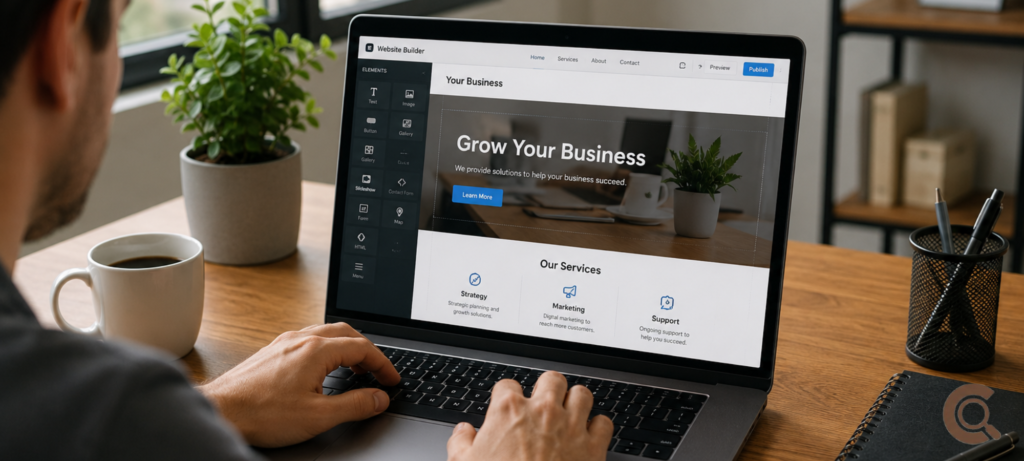
There used to be a real barrier here. Getting a business website meant hiring a developer, waiting weeks, and handing over a few thousand dollars for something you couldn’t even touch yourself once it was live. That’s just not the reality anymore. Figuring out how to build a business website without coding these days mostly comes down to picking the right tool and working through a handful of decisions in a sensible order — not learning HTML, and definitely not spending money you don’t have yet.
Start With What Your Website Actually Needs to Do
Before you touch a single template, get honest about what the site actually has to accomplish. A local service business — a plumber, a tutor, a hair salon — usually just needs contact info, your hours, some kind of booking or contact form, and a handful of decent photos. That’s genuinely it. An online store needs product pages, a cart, and a way to take payment. A freelancer or consultant mostly needs a portfolio, a little bit of content that builds trust, and an obvious way for someone to reach out.
Skip this step and you’ll end up exactly where most DIY business sites end up: bloated, confusing, half-finished. People start clicking through templates before they’ve figured out what the site’s actually for, and somehow end up with ten pages when three would’ve done the job just fine.
Choosing a Domain Name (and Why It Matters More Than You’d Think)
Your domain name is the address people type in to find you, so it’s worth getting right before anything else — changing it later means losing whatever SEO progress you’ve built and confusing customers who already know you by the old one. Keep it short, easy to say out loud, and as close to your actual business name as you can manage. Skip hyphens and numbers if you can help it; they’re one of the easiest ways to lose traffic to a typo.
Domain names get registered through accredited registrars, and pricing’s pretty standard across the board — usually somewhere between $10 and $20 a year for a regular .com. If you’re curious how the whole system actually works behind the scenes, who manages it, what a registrar is actually doing, ICANN — the nonprofit that coordinates the global domain system — has some genuinely readable explainers on the topic.
Picking a No-Code Website Builder That Fits Your Actual Needs
Here’s where most of the confusion around building a website without coding actually comes from. There are a lot of tools out there, and they’re not all built for the same job.
Drag-and-drop builders like Wix and Squarespace are the easiest way in for most small businesses. Pick a template, swap in your own text and photos, hit publish. No code, ever, at any point. Squarespace tends to lean cleaner and more design-forward out of the box; Wix gives you more flexibility and a bigger app marketplace if you need specific features bolted on.
WordPress paired with a page builder plugin like Elementor gives you more long-term flexibility, and you actually own your content since WordPress itself is open-source rather than tied to a single company. It takes a bit more getting used to than Wix or Squarespace, but it scales much better if you expect this site to grow into something bigger down the line.
Then there’s e-commerce-specific stuff — Shopify, or WooCommerce running on WordPress — which really only makes sense if you’re actually selling physical or digital products and need real inventory, shipping, and payment handling built in from the start rather than tacked on afterward.
If this is your first business website and you’ve got no coding background, just go with a straightforward drag-and-drop builder. You can always move to something more complex later, once you actually know what the site needs instead of guessing upfront.
Design Choices That Actually Matter (and the Ones That Don’t)
A handful of things genuinely affect whether people trust and use your site. A lot of other things people obsess over barely move the needle at all.
What actually matters: does it look right on a phone, since most people will land on your site from one and a broken mobile layout kills trust instantly. Is your contact info visible without scrolling. Does the page load fast. Is the menu obvious enough that nobody has to think about it. What doesn’t matter nearly as much as people assume: some perfectly unique custom design nobody’s ever seen before, fancy animations, or having every possible page filled out before you even launch.
The good news is nearly every current builder handles mobile responsiveness automatically as part of the template itself, so this isn’t really the manual chore it used to be — mostly just a matter of picking a template that’s actually built for it, which, honestly, almost all of them are now.
Getting Found: The Basics of Local SEO for a New Business Website
A website nobody visits doesn’t do much for your business. Beyond the standard on-page SEO stuff — a clear page title, a decent meta description, actually using the words a real customer would type into Google — the single highest-impact move for a small local business is setting up a Google Business Profile. It’s free, it’s what actually shows up in Google Maps and local search, and for most local businesses it brings in more real traffic early on than the website’s own search ranking ever does.
Link straight from your Google Business Profile to your site, and double-check your business name, address, and phone number match exactly in both places. Small inconsistencies here quietly hurt your local visibility more than people tend to realize.
SSL, Security, and the Stuff That Sounds Scarier Than It Is
Every legitimate no-code builder today throws in a free SSL certificate automatically — that’s the thing that makes your site show up as “secure” with the little padlock, instead of getting flagged as sketchy by the browser. You basically don’t have to think about this at all with a modern builder; it’s handled quietly in the background. If a builder or host doesn’t include this by default, that’s a genuine red flag, and worth walking away from.
Launching Without Overthinking It
The most common trap is treating launch day like it has to be flawless. It really doesn’t. A clean, simple site that works, with accurate contact info, beats a half-finished “perfect” version that never actually goes live. Publish once the essentials are solid — a clear homepage, contact info, whatever core pages your specific business actually needs — and treat everything else as something you improve once real visitors start showing you what’s actually missing.
If you’re building this site as part of properly starting a new business, rather than just adding an online presence to something already running, it’s worth sorting out your business structure around the same time. Our breakdown of LLC vs sole proprietorship covers how that choice affects liability and taxes, and it’s a lot easier to settle before you’re actively taking payments or bookings through the new site than after.
Frequently Asked Questions
Can I really build a business website without knowing how to code?
Yes, genuinely. Drag-and-drop builders like Wix and Squarespace, or WordPress with a page builder plugin, are built specifically for this and require zero coding knowledge.
What’s the cheapest way to build a business website?
A domain name, roughly $10 to $20 a year, plus a builder’s basic plan, often $15 to $30 a month, covers what most small businesses actually need. Free tiers exist too, but usually come with the platform’s own branding and a less professional-looking URL.
Do I need a developer at any point?
For most small business sites, no. A developer becomes worth hiring once you need something a builder genuinely can’t handle — complicated booking logic, custom integrations, very specific design demands.
How long does it actually take to build a simple business website?
With your content ready ahead of time (text, photos, contact details) and a template-based builder, a basic small business site can realistically be built and live within a day or two of focused work.
Do I still need a Google Business Profile if I already have a website?
Yes, especially if you’re local. It’s free, and it’s often the very first thing a potential customer sees in local search — frequently before they ever click through to your actual site.
Final Thoughts
Working out how to build a business website without coding really isn’t about mastering some complicated tool. It’s about being clear on what the site needs to do, picking a builder that actually matches that job, and not letting perfectionism hold up the launch. Get the basics right — mobile-friendly design, clear contact info, a Google Business Profile, a domain name that actually matches your business — and a genuinely functional, professional site is well within reach without ever touching a line of code.