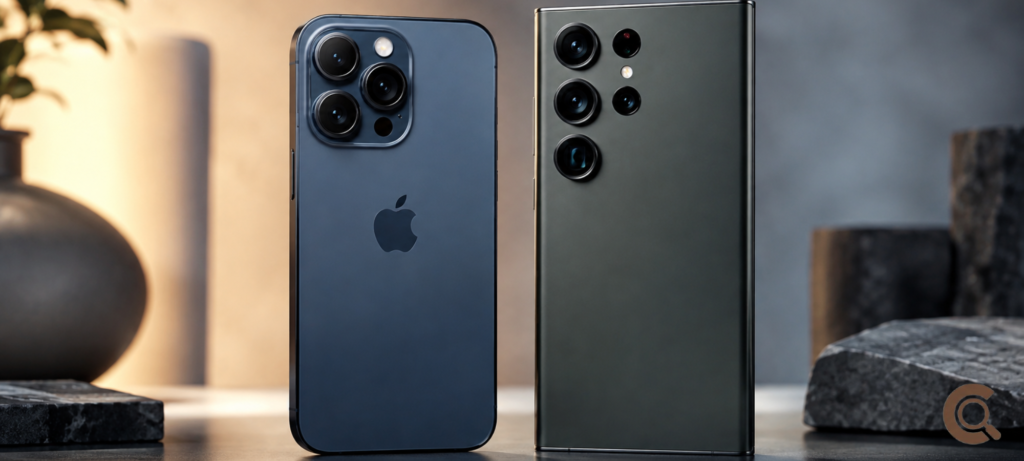
iOS vs Android which is better is one of those debates that never really gets put to rest, and honestly, it probably shouldn’t. Both systems are genuinely good at this point, and which one “wins” for you depends way more on how you use your phone every day than on which brand shouts louder in ads. Someone who lives inside FaceTime and the Apple ecosystem is going to land on a totally different answer than someone who wants to mess with their home screen and doesn’t mind digging through settings.
So instead of just repeating spec sheets you could Google anywhere, let’s actually look at what changes day to day — apps, price, how much you can tweak, privacy, and how long your phone stays supported.
iOS vs Android: Quick Comparison
| Category | iOS | Android |
|---|---|---|
| Customization | Limited, more locked-down | Extensive, highly flexible |
| App ecosystem | Apple App Store, tightly controlled | Google Play Store, broader but less curated |
| Price range | Premium only (iPhone) | Budget to flagship, wide range |
| Software updates | Long support (5+ years typical) | Varies heavily by brand |
| Privacy controls | Stronger default privacy settings | Improving, but varies by manufacturer |
| Ecosystem integration | Seamless with Mac, iPad, Apple Watch | Seamless with Google services, varies with other devices |
| Best for | Simplicity, ecosystem lovers | Flexibility, budget-conscious buyers |
What Actually Changes When You Choose One or the Other
Deciding between ios vs android for beginners isn’t really about which system is “smarter” — they’re both mature at this point, honestly. It’s more about which trade-offs you’re okay with. Apple gives up flexibility for consistency. Android gives up some consistency for choice. Neither is the wrong call, but they feel pretty different once you’re actually using the phone every day.
App Ecosystem and Availability
The Apple App Store has a reputation for being stricter about what gets in, which usually means fewer sketchy apps sneaking through — though it also means Apple sometimes takes longer approving certain features. Google Play is more open, which developers like, but it also means a few lower-quality apps slip through more easily than they would on Apple’s side.
For the big, mainstream stuff — banking, social apps, streaming, productivity tools — both platforms basically get everything on day one now. That old gap, where Android used to wait months for features iOS already had (or the other way around), has mostly closed up. Where you’ll still notice a difference is with newer AI-driven apps or anything camera-heavy, which sometimes shows up on one platform a bit before the other, depending on which hardware partnerships are involved.
Price Range and Value for Money
This one’s not close, honestly. If you’re weighing iphone vs android 2026 purely on cost, Android wins easily just because of the sheer range available. You can grab a solid Android phone for a fraction of what an iPhone costs, while Apple really only plays in the premium space, even with its so-called “budget” models.
That said, iPhones tend to hold their resale value better, which softens the higher price tag a bit if you’re the type who sells or trades in every couple of years. Android flagships from Samsung or Google Pixel lose value faster, but you get way more models to pick from within whatever budget you’re working with.
Customization and Control
If you like messing with your home screen, swapping default apps, or installing things outside the official store, Android wins this one without much of a fight. iOS has loosened up a bit over the years — widgets, some default app swaps, more Home Screen flexibility than it used to allow — but it’s still, by design, a more locked-down system underneath.
For a lot of people, that’s actually a good thing, not a downside. Less to fiddle with means less that can go wrong, and Apple’s “it just works” reputation didn’t come from nowhere. If you’d rather spend zero time customizing anything and just use your phone, iOS quietly removes a bunch of decisions you’d otherwise have to make.
Privacy and Data Handling
Apple’s leaned heavily into privacy as part of its brand, and its default settings — App Tracking Transparency, tighter limits on background data — genuinely cut down on how much apps can track you without asking. Android’s closed a lot of that gap lately through Google’s privacy dashboard and permission controls, but the experience still shifts depending on which phone maker you’re dealing with, since Samsung, Xiaomi, and others all layer their own software over stock Android.
If privacy really matters to you and you don’t want to go digging through manufacturer-specific menus to lock things down, iOS still edges ahead slightly, mostly because it’s the same experience no matter which iPhone you buy.
Software Updates and Long-Term Support
This gap’s still very real. Apple usually keeps iPhones updated for five years or more, so your phone keeps getting security patches and new features long after you bought it. Android’s a mixed bag depending on the brand — Google Pixel phones get support that rivals Apple’s, but plenty of budget Android phones stop getting updates after just two or three years.
If you’re someone who keeps a phone for a long stretch instead of upgrading every year, this is worth thinking about seriously, since an unsupported phone turns into a security risk eventually, not just something that feels a little dated.
iOS vs Android for Beginners: Which Is Easier to Pick Up?
If you’re picking up a smartphone for the first time, or coming from a really old device, iOS tends to be the gentler landing simply because there’s less to configure and fewer decisions along the way. There’s basically one “Apple way” of doing most things.
Android hands you more choice, which is great once you know what you actually want, but it can feel a bit much at first — default apps, launcher options, manufacturer menus all add steps that iOS just skips. Neither one is really harder to learn overall; Android just front-loads more of the decisions, while iOS quietly makes most of them for you.
Choosing a Smartphone Based on Your Actual Habits
If you’re stuck picking, it helps to think about a few real habits instead of the operating system in the abstract:
- Already deep into Apple stuff (Mac, iPad, Apple Watch) → iOS makes way more sense, since the ecosystem actually saves you time day to day.
- Want the most phone for your money → Android, no real contest.
- Like tweaking your setup → Android, again pretty clearly.
- Want long software support without researching every single model → iOS or a Google Pixel are your safest bets.
- Care about privacy but don’t want to dig through settings → iOS has a slight edge just from being consistent everywhere.
None of this makes one platform universally better — it just points you toward whichever one actually fits how you live with your phone.
Frequently Asked Questions
iOS vs Android which is better overall?
Neither one’s universally better — iOS suits people who want simplicity, strong privacy defaults, and long software support, while Android suits people who want more customization, more budget options, and more flexibility. It really comes down to your habits, not the specs.
Is iPhone or Android better for beginners?
iOS is usually easier for someone new to smartphones since there’s less to configure and the experience stays consistent across every iPhone model. Android offers more flexibility, but it does ask you to make a few more setup decisions early on.
Which is cheaper, iPhone or Android?
Android, pretty clearly. There are capable phones at nearly every price point. iPhones only really compete at the premium end, though they hold their resale value better over a few years.
Does Android or iOS have better privacy?
iOS has a slight edge here thanks to consistent default settings across every device, like App Tracking Transparency. Android’s privacy tools have gotten much better, but how protected you are still depends a fair bit on the phone’s manufacturer.
Which phones get longer software support, iPhone or Android?
iPhones usually get five-plus years of updates. Android’s all over the map — Google Pixel phones get support close to Apple’s, but a lot of budget Android brands stop updates after just two or three years.
Final Thought
At the end of the day, iOS vs android which is better doesn’t really have one correct answer — it’s a question of fit. Want something consistent and low-maintenance with solid privacy defaults and long-term support? iOS delivers that reliably. Want more control, more budget flexibility, and don’t mind a slightly steeper learning curve? Android’s the stronger pick. Choose based on how you actually use your phone, not whichever brand has the louder marketing, and you’ll end up happy with either one.
Visit here=> Contexto.uk